How to get an Opay ATM card, requirements, application process, etc
In the rapidly evolving landscape of Nigerian fintech, OPay has established itself as a cornerstone of digital banking. While the app offers a plethora of features ranging from instant transfers to bill payments, many users still find the physical OPay ATM card indispensable. Whether you are withdrawing cash from a local ATM or paying for groceries via a POS terminal, having that teal colored plastic in your wallet provides a level of financial flexibility that digital-only solutions sometimes lack.
This guide provides an exhaustive walkthrough on how to acquire, activate, and manage your OPay ATM card in 2026. We will cover the prerequisites, the step-by-step application process, and everything in between to ensure you get the most out of your OPay experience.
Why You Need an OPay ATM Card
While the world is moving toward a cashless society, the reality in many regions is that cash is still king for micro-transactions. Additionally, a physical card serves as a vital backup for when network issues plague mobile apps.
The OPay Debit Card is more than just a piece of plastic. It is a globally recognized Verve or Mastercard (depending on the current offering) that allows you to perform the following actions:
-
ATM Withdrawals: Access your funds at any ATM nationwide. OPay typically offers a set number of free monthly withdrawals, making it more cost effective than traditional banks.
-
POS Transactions: Pay for goods and services at supermarkets, fuel stations, and restaurants.
-
Web Payments: Shop online on Nigerian platforms and select international websites.
-
Zero Maintenance Fees: One of the biggest selling points is the absence of the monthly card maintenance fees that traditional banks often charge.
Eligibility and Requirements
Before you hit the “Apply” button, you must ensure your OPay account is in good standing. OPay uses a tiered system for accounts, and your ability to request a card often depends on your verification level.
1. Account Tier 2 or 3
To request a physical card, your account should ideally be at Tier 2 or Tier 3.
-
Tier 1: Basic account with just a phone number and name. Limited transaction limits.
-
Tier 2: Requires a verified Bank Verification Number (BVN).
-
Tier 3: Requires a BVN and a valid government-issued ID (National ID, International Passport, or Driver’s License) along with proof of address.
2. Valid BVN and NIN
The Central Bank of Nigeria (CBN) requires all financial accounts to be linked to a Bank Verification Number (BVN) and a National Identification Number (NIN). Ensure these are correctly linked to your OPay profile.
3. Minimum Account Balance
While the card itself might be free or carry a nominal fee, you need enough money in your OPay wallet to cover the issuance fee and the delivery charges if you choose the Home Delivery option.
4. Active Phone Number
The phone number registered with OPay must be active to receive the One-Time Passwords (OTPs) required for card security and activation.
The Application Process: Step by Step
There are two primary ways to get your OPay card: through the mobile app for home delivery or by visiting an OPay registered agent.
Method 1: Applying via the OPay App
This is the most convenient method for most users.
-
Open the OPay App: Log in to your account on your smartphone.
-
Navigate to the “Cards” Section: On the bottom navigation bar, you will see an icon labeled Cards. Tap on it.
-
Choose “Physical Card”: You will likely see options for both Virtual and Physical cards. Select Physical Card.
-
Select Your Preferred Design: OPay often offers different card designs or brands. Choose the one that suits your needs.
-
Enter Delivery Details: If you want the card delivered to your doorstep, provide a precise address. Ensure your state, local government area, and street name are accurate to avoid delivery delays.
-
Review Fees: The app will display the cost of the card and the delivery fee. As of 2026, these costs are competitive and often subsidized.
-
Confirm and Pay: Use your OPay wallet balance to pay for the card.
-
Track Your Order: Once the application is successful, you can track the status of your card delivery directly within the app.
Method 2: Getting a Card via an OPay Agent
If you live in an area where delivery is difficult or you simply want the card instantly, you can visit an authorized OPay agent.
-
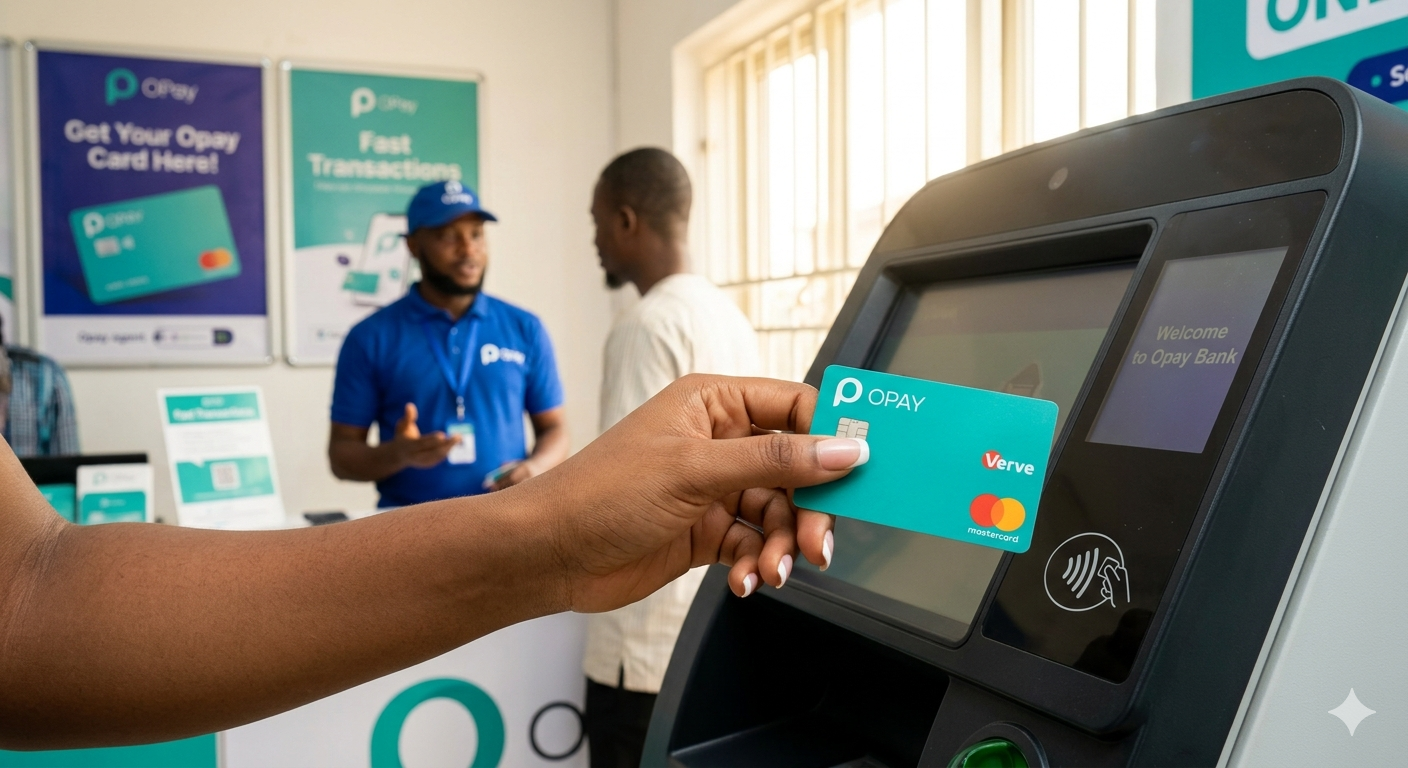
Locate an Agent: Look for an OPay agent store with the official branding. Many agents have “Get Your OPay Card Here” signs.
-
Request a Card: Inform the agent you want to pick up a physical debit card.
-
Provide Your Details: The agent will ask for your OPay account number (your phone number).
-
Verification: You may receive an OTP on your phone to authorize the linking of the new card to your account.
-
Pay the Agent: You will pay the issuance fee to the agent, who will then hand over the card to you.
How to Activate Your OPay Card
Receiving the card is only half the journey. You must activate it before it can be used for transactions.
Activation via the App
-
Go back to the Cards section in the app.
-
Select the card you just received.
-
Click on Activate.
-
You will be prompted to enter the 16-digit card number and the expiry date.
-
Set Your PIN: Choose a secure 4-digit Personal Identification Number (PIN). Avoid using obvious combinations like 1234 or your birth year.
Activation via USSD
If you do not have an internet connection, you can use the OPay USSD code.
-
Dial *955# from your registered phone number.
-
Follow the prompts to select Card Services or Activate Card.
-
Enter the required card details and set your PIN.
Managing Your OPay Card Security
Once your card is active, security should be your top priority. The OPay app provides several features to keep your money safe:
-
Freeze Card: If you misplace your card, you can instantly “Freeze” it in the app. This prevents any transactions from going through. If you find the card later, you can “Unfreeze” it just as easily.
-
Transaction Limits: Set daily spending limits for ATM withdrawals and POS payments to ensure that even if the card is compromised, the damage is limited.
-
Change PIN: You can change your ATM PIN at any time through the security settings in the app.
-
Disable Online Payments: If you only use your card for physical transactions, you can toggle off “Web Payments” to prevent unauthorized online usage.
Fees and Transaction Limits
Understanding the cost structure of your OPay card will help you manage your finances better. While OPay is known for being affordable, there are still some standard costs.
| Transaction Type | Fee (Approximate) |
| Card Issuance | ₦600 – ₦1,500 (depending on promotions) |
| Monthly Maintenance | Free |
| ATM Withdrawals | First 10 per month are often free; thereafter ₦35 per withdrawal |
| POS Payments | Free |
| Web Payments | Free |
Note: These fees are subject to change based on OPay’s policies and CBN regulations in 2026.
Transaction Limits
For most users (Tier 3), the limits are quite generous:
-
Daily ATM Withdrawal: ₦100,000 to ₦200,000.
-
Daily POS/Web Limit: Up to ₦500,000 or more depending on your specific account verification status.
Troubleshooting Common Issues
Even with a seamless system, you might encounter hurdles. Here is how to handle them.
Card Delivery Delays
If your card hasn’t arrived within the estimated 5 to 10 working days, check the tracking status in the app. You can also contact OPay customer support via the in-app chat or their official social media handles.
Transaction Declined
If your card is declined at a POS or ATM:
-
Check if you have sufficient funds in your OPay wallet (not just your OWealth balance).
-
Ensure the card is not “Frozen” in the app.
-
Check if you have exceeded your daily limit.
-
Confirm that the card chip is clean and not damaged.
Card Captured by ATM
If an ATM machine “swallows” your card, do not panic. Log into your OPay app immediately and Freeze the card. Since OPay cards are easy to replace, it is often safer to simply request a new one rather than trying to retrieve it from a traditional bank’s machine.
Physical vs. Virtual Cards: Which is Better?
OPay also offers virtual cards. While this post focuses on the physical card, it is worth noting the difference.
Virtual Cards are perfect for:
-
International subscriptions (Netflix, Spotify, etc.).
-
Protecting your main account when shopping on unfamiliar websites.
-
Instant use (no delivery time).
Physical Cards are better for:
-
Daily cash needs.
-
Physical shopping at local markets or malls.
-
Situations where your phone battery is dead.
Most power users choose to have both. The virtual card for digital security and the physical card for real-world convenience.
Final Thoughts
Acquiring an OPay ATM card is a straightforward process that significantly enhances your banking experience. By following the steps outlined above, you can move from a digital-only user to a fully equipped financial consumer capable of transacting anywhere in Nigeria.
Remember that while OPay provides the tools for secure banking, the ultimate responsibility for security lies with you. Never share your PIN, OTP, or CVV with anyone, including individuals claiming to be OPay staff.
With your new OPay card in hand, you are ready to enjoy the convenience of modern banking without the heavy fees associated with traditional institutions. Happy spending!